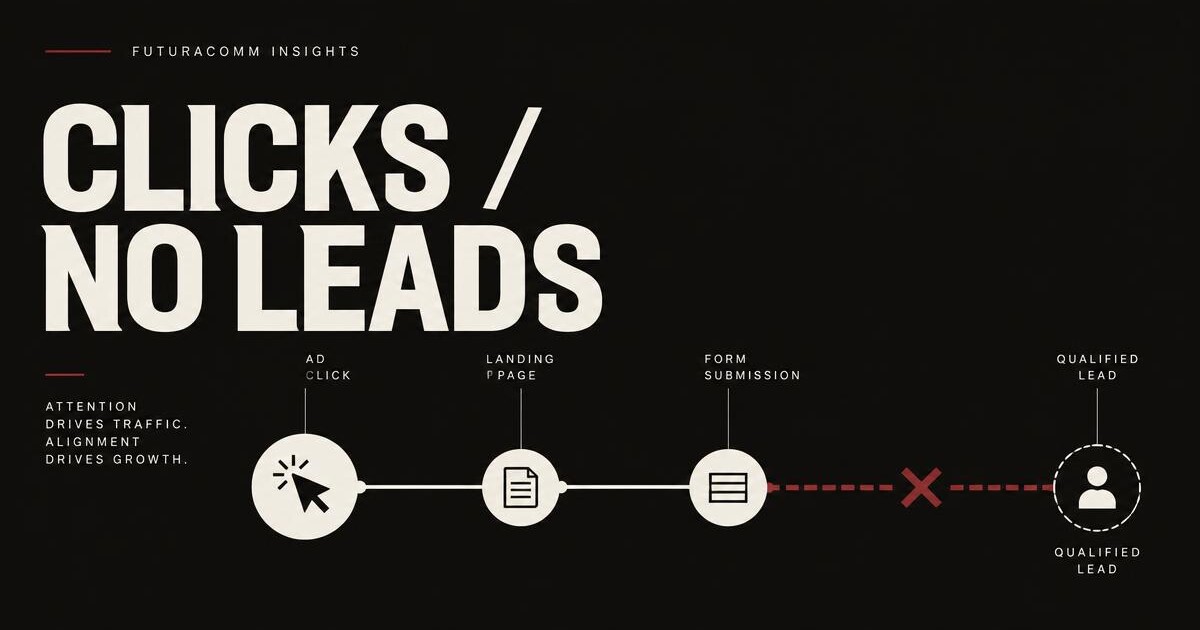
Your Google Ads campaign is generating clicks. The budget is moving. People are reaching the website.
But the phone is not ringing, the forms are not arriving, and the calendar is still empty.
The instinct is usually to blame the ads—or increase the budget and hope a larger sample fixes the problem. Neither move should come first.
A click proves only one thing: the ad earned enough attention for someone to visit the page. It does not prove that the visitor was qualified, that conversion tracking worked, that the page continued the ad's promise, or that the business earned enough trust for the visitor to act.
The useful question is not simply, “Why aren't my Google Ads working?”
It is: Where is the handoff breaking between the search and the lead?
The five-link click-to-lead path
Every paid-search lead passes through five links:
- Measurement: Can you accurately see calls, forms, bookings, and other meaningful actions?
- Traffic: Did the ad attract someone who actually wanted the service you sell?
- Message: Did the landing page continue the specific promise that earned the click?
- Trust: Did the page give the visitor enough reason to believe you can deliver?
- Action: Was the next step obvious, appropriate, and easy to complete?
Diagnose those links in that order. Otherwise, you can spend weeks redesigning a page when the tracking was broken—or keep adjusting keywords while a weak landing experience wastes qualified traffic.
1. Confirm that “no leads” does not mean “no tracked leads”
Before changing the campaign or the website, verify the measurement.
Google Ads supports website conversion actions based on page loads, form submissions, button clicks, Google Analytics events, and manually implemented events. Google also warns that incorrectly classifying conversion actions as primary or secondary can interfere with the signals used for optimization. (Google Ads conversion setup)
At minimum, inspect whether the business is measuring:
- Completed quote or contact forms
- Confirmed booking pages
- Phone-number taps on mobile
- Calls generated through ads or the website
- Click-to-text actions, where relevant
- High-intent scheduling actions
- The final completed action—not merely a visit to the contact page
Then test each path yourself. Submit the form. Tap the phone number. Check the inbox or CRM. Confirm that the conversion appears in the correct reporting system.
If real inquiries exist but the campaign reports zero, the immediate problem is measurement. Fixing the page design will not repair a missing or misconfigured event.
2. Verify that you paid for the right visitors
A beautiful landing page cannot convert someone who never wanted the service.
The keyword you selected is not always the exact phrase the visitor searched. Google's Search Terms report shows the queries that triggered ads and lets advertisers refine match types or add irrelevant searches as negative keywords. (Google Ads Search Terms report)
Review the actual search terms and ask:
- Is the person looking to buy, book, or request a quote—or merely researching?
- Does the search match the exact service and service area?
- Are job seekers, DIY researchers, students, vendors, or unrelated consumers triggering the ads?
- Does an apparently relevant phrase have a second meaning?
- Are broad themes mixing several different services into one generic ad group?
Do not judge traffic quality by clicks alone. A campaign can produce an attractive click-through rate while attracting the wrong people.
Google's own Quality Score guidance makes the distinction: expected click-through rate, ad relevance, and landing-page experience are separate diagnostic components. A more specific message can generate fewer clicks yet produce better conversion performance. (Google Ads Quality Score guidance)
The objective is not the largest number of visitors. It is the right visitors arriving with the right expectation.
3. Check whether the landing page continues the ad's promise
Once tracking and traffic quality are sound, inspect the transition from the ad to the page.
If an ad promises emergency roof repair in Charleston, sending the visitor to a general construction homepage creates work. The visitor must confirm that the company repairs roofs, handles emergencies, serves Charleston, and can respond soon.
A purpose-built landing page should answer those questions immediately.
Google recommends keeping the messaging consistent from the ad to the landing page and giving people the thing they searched for. It also treats landing-page experience as a measure of how relevant and useful the page is to the person who clicked. (Google Ads landing-page guidance)
The first screen should make four things obvious:
- What you do
- Who or where you serve
- Why this is the right solution
- What the visitor should do next
If those answers are buried beneath a vague brand statement, a slideshow, or several unrelated offers, the page is forcing a high-intent visitor to reconstruct the case for hiring you.
4. Replace generic credibility with decision-specific proof
“Quality service” is not proof. Neither is a row of stock photographs or a claim that the company is committed to excellence.
The proof should reduce the risk attached to the exact decision the visitor is making.
Depending on the business, that can include:
- Relevant completed work
- Specific service-area experience
- Verifiable reviews
- Licenses, certifications, or professional credentials
- A clear process
- Real people and real operating details
- Warranties or guarantees that actually apply
- Honest response-time or availability information
- Answers to the objections that stop qualified prospects from calling
The goal is not to cover the page in badges. It is to answer, quickly and credibly: Why should this visitor trust this business with this job?
5. Make the next action proportionate to the decision
Many pages have a call to action. Fewer have the right call to action.
“Contact us” gives the visitor no idea what happens next. A 14-field form asks too much before the business has earned the conversation. An immediate calendar request may be appropriate for a consultation but excessive for a customer who only wants to know whether a service is available in their town.
The next step should fit the buying moment:
- Request an estimate
- Check service availability
- Book a consultation
- Call for immediate help
- Tell us about the project
- Get a recommended website direction
Keep the required information to what the business genuinely needs to respond or qualify the opportunity. Preserve alternate paths for visitors who prefer to call or text.
Then explain what happens after submission. Uncertainty is friction.
6. Audit the mobile experience as the real experience
The page does not become mobile-friendly because it technically shrinks onto a phone.
Test it on an actual device:
- Does the primary message appear before the visitor has to hunt?
- Can the visitor tap the phone number?
- Is the form usable without zooming or fighting the keyboard?
- Do floating elements cover important controls?
- Does the page shift while loading?
- Can someone understand the offer under ordinary cellular conditions?
Google's current Core Web Vitals focus on loading performance, responsiveness, and visual stability. Its recommended thresholds include Largest Contentful Paint within 2.5 seconds, Interaction to Next Paint of 200 milliseconds or less, and Cumulative Layout Shift of 0.1 or less, assessed at the 75th percentile of page visits. (Google Web Vitals)
Those metrics are useful diagnostics, not a substitute for the buying experience. A technically fast page can still be vague, unconvincing, or difficult to act on. Performance and persuasion both matter.
What Orbit Services showed in the first seven clicks
FuturaComm rebuilt Orbit Services' website as more than a digital brochure.
The work included service-specific landing pages, city-specific search pages, a custom inquiry flow, mobile call and text paths, search content, and campaign attribution. The objective was to give paid and organic visitors a relevant destination and a clear route toward becoming a qualified inquiry.
Orbit Services recorded three booked jobs from the first seven Google Ads clicks after the new site launched.
Seven clicks is not a statistically reliable long-term conversion benchmark, and we do not present it as one. It is an early, bounded result.
What it does demonstrate is important: once the click reached a website built around the service, the market, trust, and action, the digital path was capable of turning paid attention into booked work.
That is the standard a business should demand from its website. Not that every click converts, but that qualified traffic has a credible, measurable path to action.
A practical diagnostic sequence
If your Google Ads are getting clicks but no leads, work through this sequence before raising the budget.
Measurement
- Test every form, phone, text, and booking action.
- Confirm that genuine actions reach the business.
- Confirm that the right actions are recorded as conversions.
- Separate primary business outcomes from secondary engagement signals.
Traffic
- Review the Search Terms report.
- Remove irrelevant queries.
- Check location and service alignment.
- Separate mixed-intent services.
- Compare lead quality, not only click volume.
Message
- Match the landing-page headline to the search and ad.
- Send each service to the most relevant page.
- State the service area where it matters.
- Continue the offer without changing its meaning.
Trust
- Replace generic claims with relevant evidence.
- Show real work and verifiable credentials.
- Explain the process and reduce uncertainty.
- Answer the objections attached to the purchase.
Action
- Make the primary next step obvious.
- Reduce unnecessary form fields.
- Provide call or text alternatives where appropriate.
- Explain what will happen after the inquiry.
- Test the complete path on mobile.
When the campaign needs work—and when the website does
The campaign probably needs attention first when the search terms are irrelevant, location targeting is wrong, the ad creates the wrong expectation, or conversion data is unreliable.
The website or landing page probably needs attention when qualified visitors arrive but cannot immediately confirm the service, the message changes after the click, the page lacks decision-specific proof, the mobile experience is poor, or the next action is unclear.
Often both sides need work. The ad and the website are not separate growth systems. They are consecutive parts of the same decision.
Should you repair the page or redesign the website?
A focused landing-page repair may be enough when the broader site is credible, measurement is working, and one campaign needs a more relevant destination.
A broader redesign becomes more sensible when:
- Multiple campaigns are being sent to a generic homepage
- Core services do not have dedicated pages
- The site cannot support reliable attribution
- The mobile experience is consistently weak
- Trust problems appear throughout the site
- Every improvement requires another workaround
- The brand has outgrown the way it is represented online
The right answer is not always a larger website. It is a website with a clear job for every important page.
FuturaComm's Web Studio combines positioning, custom design, copywriting, service and location architecture, inquiry flows, campaign-ready landing pages, conversion tracking, and attribution.
There is no upfront payment. Nothing is due until you love the completed website and are ready to launch.
Start your project and let us evaluate where your current click-to-lead path is breaking.
Frequently asked questions
Why am I getting Google Ads clicks but no leads?
The failure can occur in measurement, traffic quality, message match, trust, mobile performance, or the conversion path. Verify tracking and actual search terms before assuming that the campaign or website alone is responsible.
Can a bad website hurt Google Ads performance?
Yes. Google evaluates landing-page experience as a diagnostic component alongside expected click-through rate and ad relevance. Independently of the platform score, a page that is irrelevant, unclear, slow, untrustworthy, or difficult to use can lose qualified visitors after the click.
Should Google Ads traffic go to the homepage?
Only when the homepage is the most relevant destination for that search. A service-specific campaign will usually be easier for a visitor to understand when it lands on a page dedicated to that service, audience, or location.
Should I increase my budget if I have clicks but no conversions?
Not until measurement, search terms, and the landing experience have been checked. More budget amplifies the existing path; it does not repair a broken one.